▸ Passive Network Monitor
SilentMap
Passive network monitor — sees everything, disturbs nothing.
✓ MIT Lizenz ✓ Self-hosted · Open Source ✓ Beta · Single-User ✓ Go · SQLite · D3.js
Was SilentMap ist

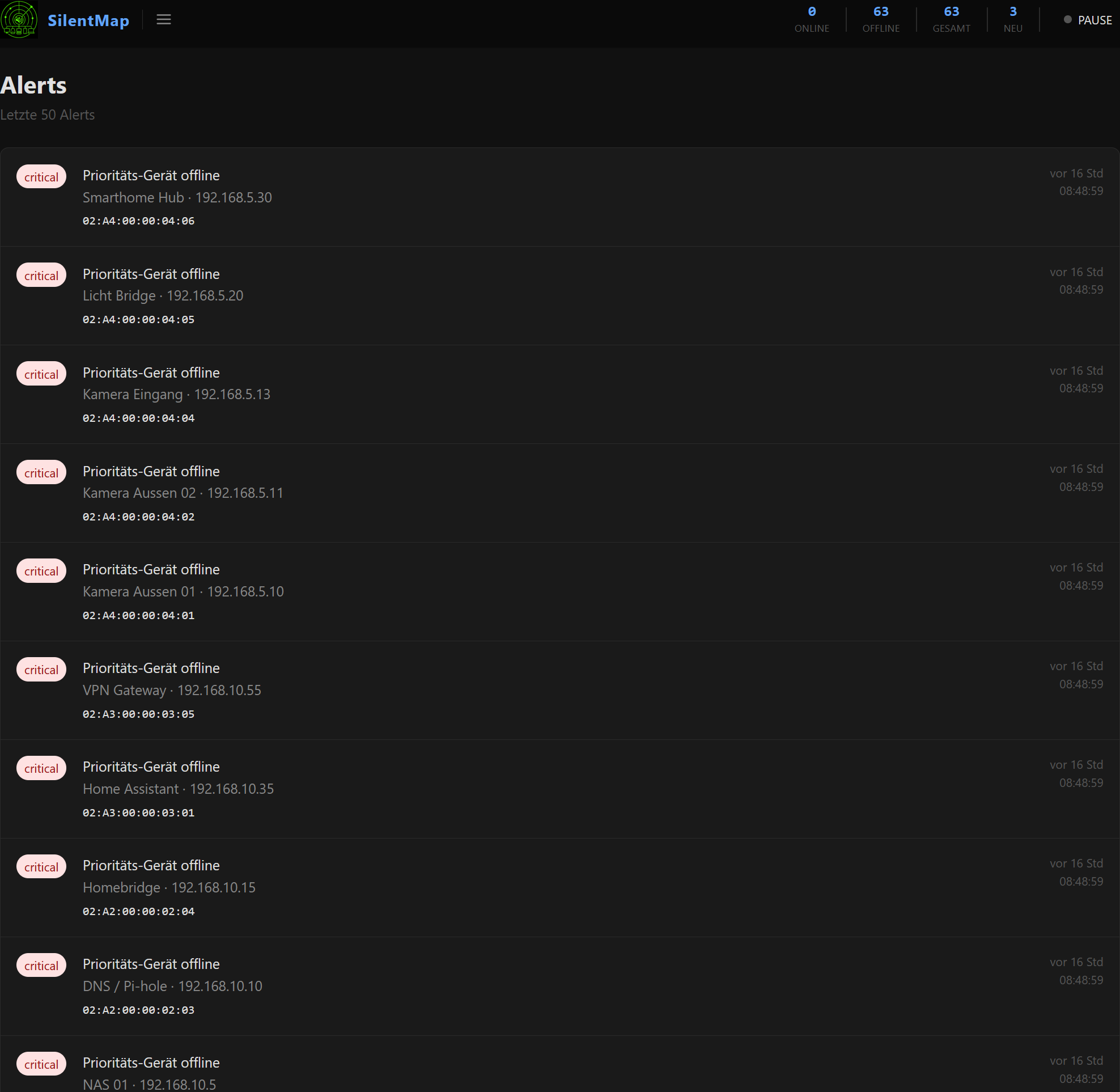
SilentMap lauscht passiv im lokalen Netzwerk und erstellt ein Live-Bild aller Geräte — ohne auch nur ein einziges Paket aktiv zu senden. Geräte werden aus deren eigenem Traffic erkannt: ARP-Announcements, mDNS-Broadcasts, DHCP-Leases. Erscheint ein unbekanntes Gerät oder fällt ein Prioritäts-Gerät aus, kommt sofort eine Benachrichtigung.
Kein aktives Scannen. Kein Agent. Kein Netzwerklärm.
SilentMap ist eine einzelne ausführbare Datei mit eingebetteter SQLite-Datenbank, eingebettetem Web-UI und ohne externe Laufzeitabhängigkeiten. Docker oder natives Linux — nach Wahl.
Das Projekt entstand als schlanke, verständliche Alternative zu Tools wie NetAlertX: weniger bewegliche Teile, saubereres UI, ein Codebase das eine Person lesen und erweitern kann. Entwickelt in Zusammenarbeit mit Claude (Anthropic) als Praxisbeispiel für Human + AI Software-Entwicklung.
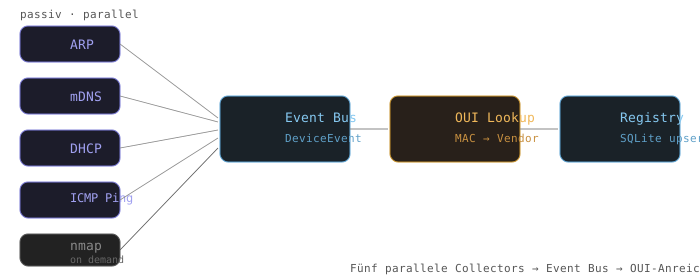
Was SilentMap kann
- 100% passiv
- Kein Ping, kein Scan, kein Netzwerklärm standardmässig. SilentMap hört zu.
- Multi-Collector
- ARP · mDNS · DHCP · optionaler ICMP-Ping · On-Demand-Nmap
- Vendor-Lookup
- OUI-Datenbank eingebettet — jede MAC-Adresse wird automatisch zum Hersteller aufgelöst.
- Inventar
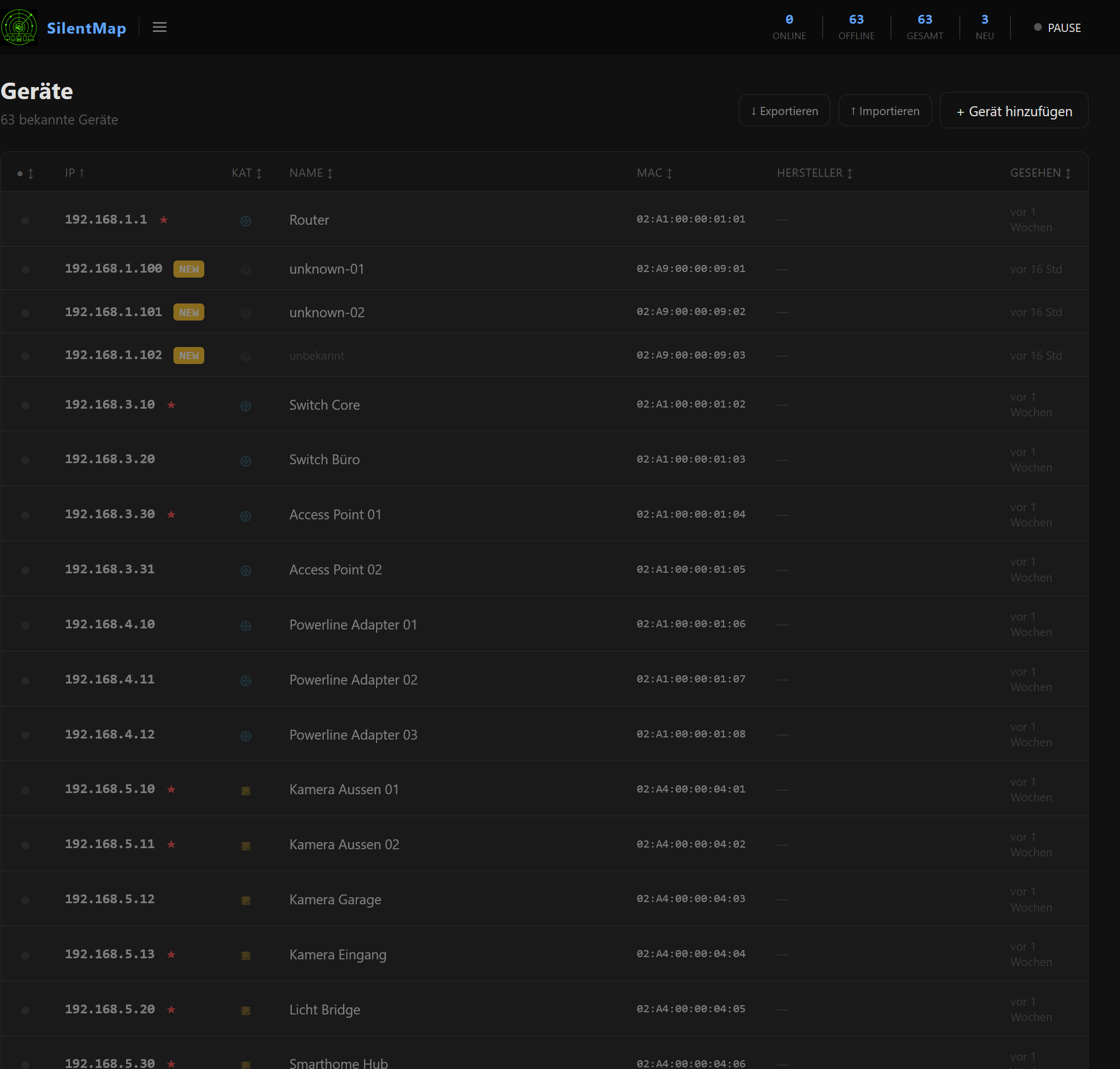
- MAC, IP, Hostname, Vendor, Label, Kategorie, Gruppen, Topologie-Map.
- Prioritäts-Geräte
- Pro-Gerät-Flag — ICMP-Monitoring auch über Subnetz-Grenzen hinweg.
- Alert-Engine
- Neues Gerät · Priorität offline · Gerät wieder online — mit konfigurierbarem Cooldown.
- Benachrichtigungen
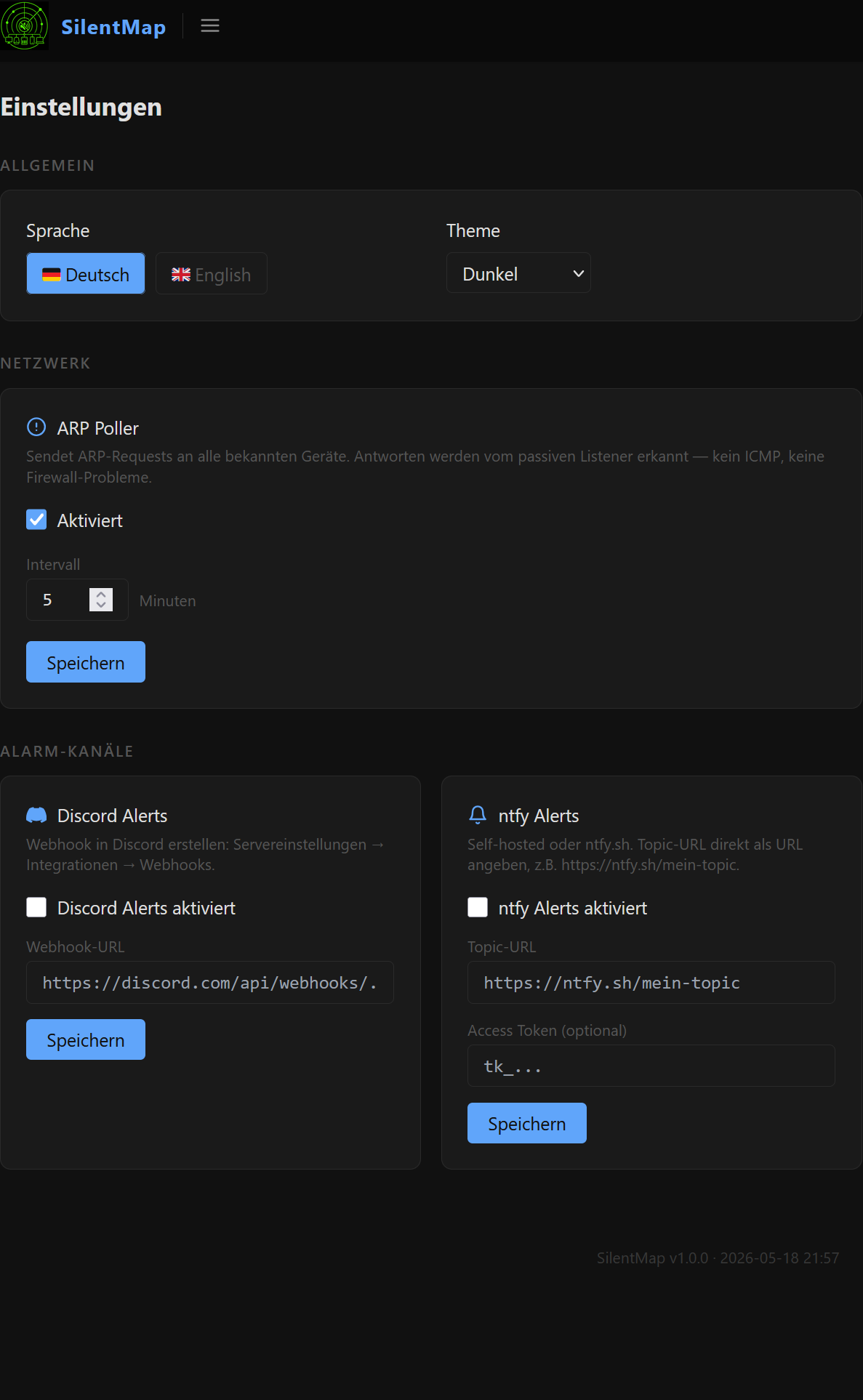
- Push via ntfy.sh oder selbst gehostetem ntfy · Discord Webhook · konfigurierbares Routing nach Severity.
- Topologie-Map
- Interaktiver D3.js-Netzwerkgraph mit Eltern-Kind- und Gruppenansicht.
- Export / Import
- Vollständiges JSON-Backup inkl. Gruppen, Labels, Verbindungen.
- Themes & Sprache
- Dark, Light und eigene Themes · Deutsch und Englisch — zur Laufzeit umschaltbar.
- Single Binary
- Kein CGO, keine externen Abhängigkeiten, eingebettetes SQLite. Läuft überall wo Go läuft.
REST API
GET /health— Health-CheckGET /api/stats— Online/Offline-Zähler, Listening-StateGET /api/version— Version und Build-ZeitGET /api/topology— Netzwerk-Topologie als JSONGET /api/alerts— Aktuelle Alarme als JSONGET /api/export— Vollständiger Geräte-ExportPOST /api/import— Geräte aus JSON-Export importieren
Wie SilentMap aufgebaut ist
SilentMap besteht aus drei klar getrennten Schichten. Der gesamte Zustand lebt in einem einzigen SQLite-Volume — kein Setup, kein Datenverlust bei Updates.
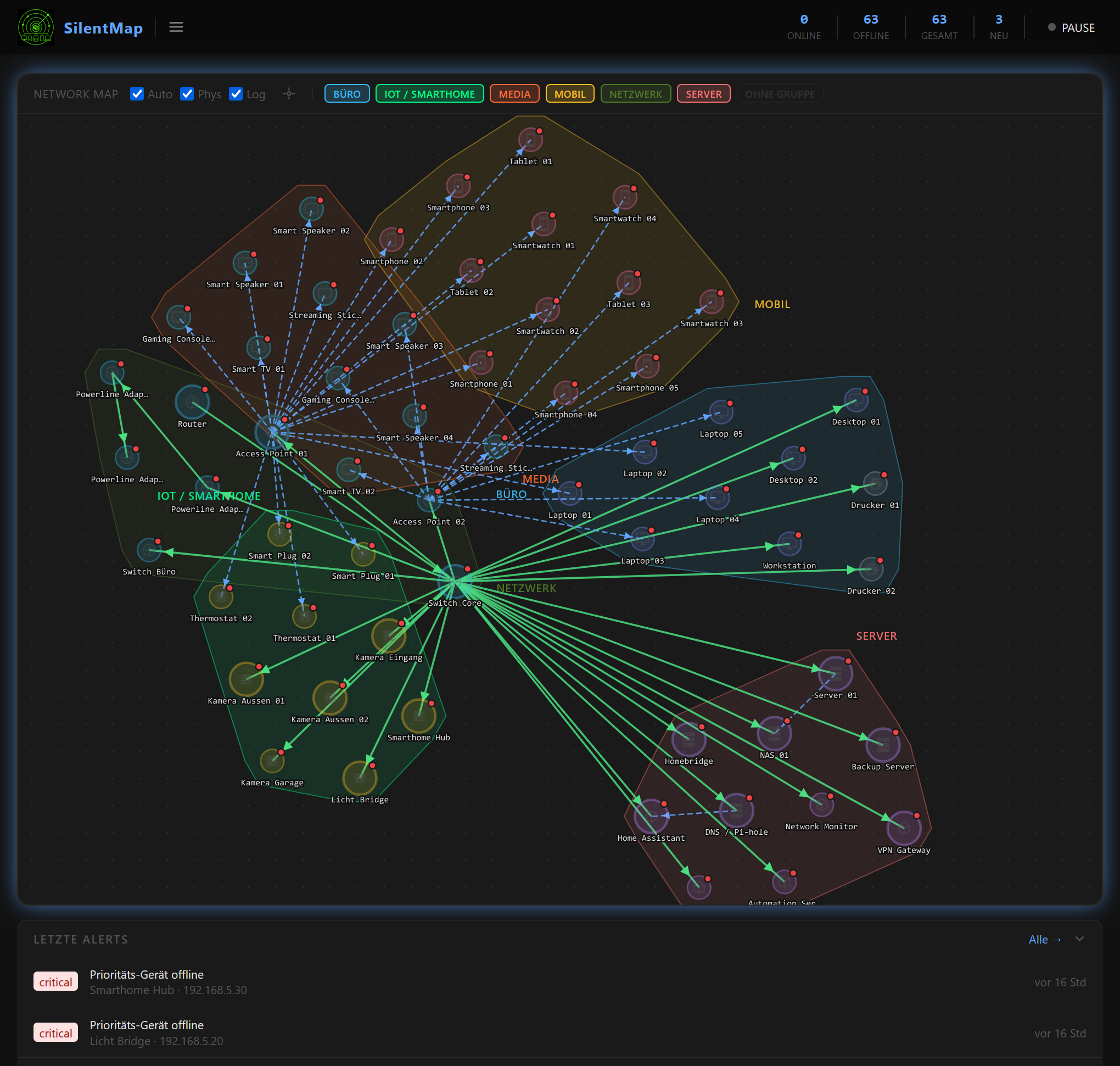
Schichtenarchitektur
Web UI / HTTP Layer — chi · Go templates · D3.js · REST API · /health
Event Bus / Registry Layer — In-process Event-Bus · SQLite Registry · Alert-Engine · Cooldown
Collector Layer — ARP · mDNS · DHCP · ICMP Ping · nmap · OUI Lookup
Persistent Volume — silentmap.db · silentmap.yaml · OUI-Datenbank
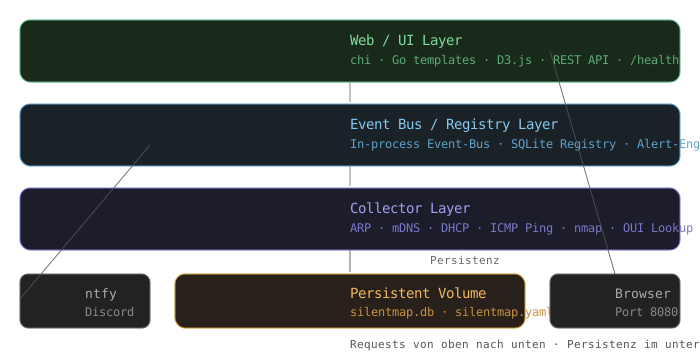
Datenfluss
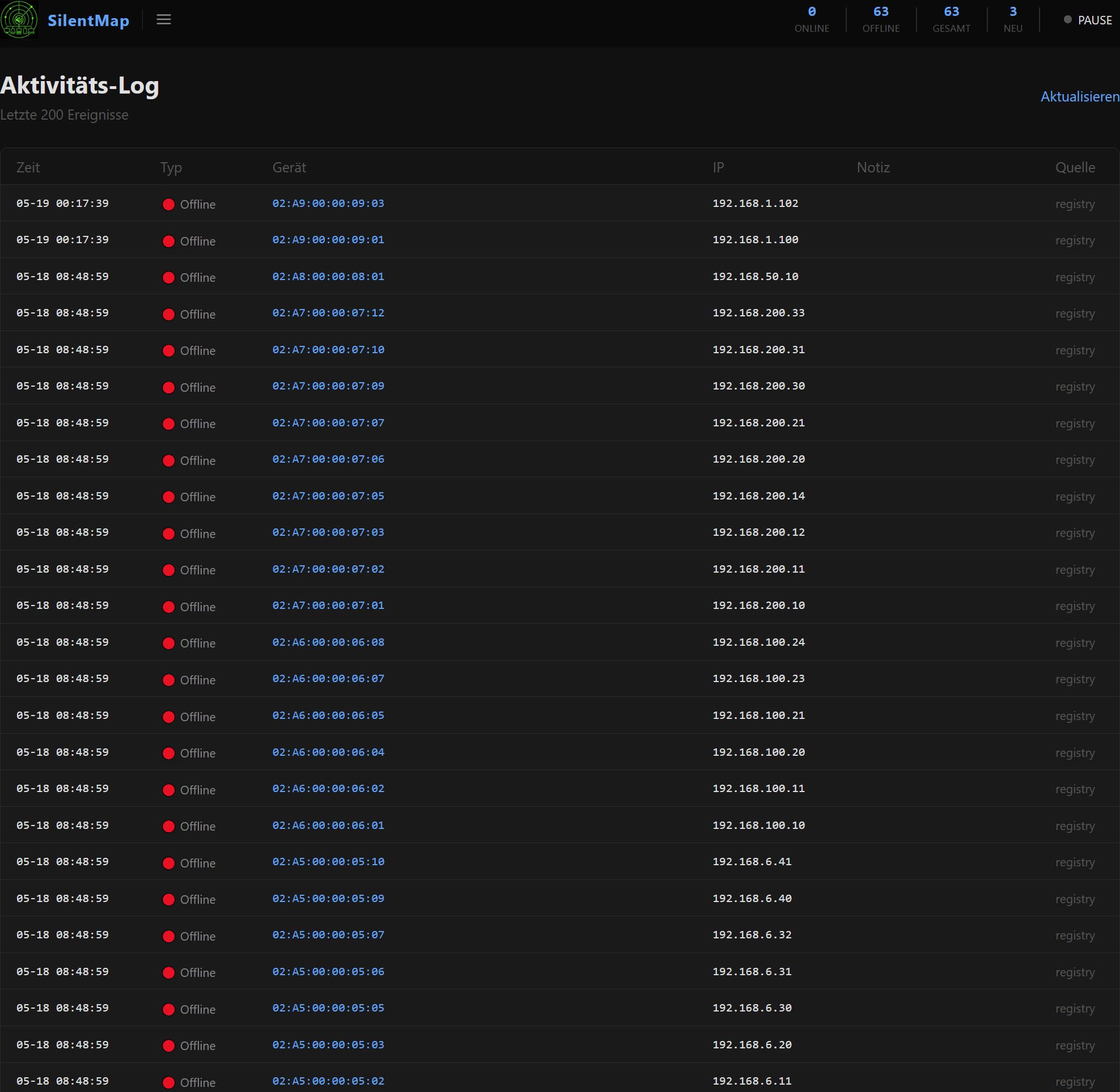
Collectors publizieren Events auf einen In-Process-Bus. Die Registry persistiert den Gerätezustand. Die Alert-Engine reagiert auf Events und routet Alarme in die konfigurierten Kanäle. Das Web-UI liest direkt aus der Registry.
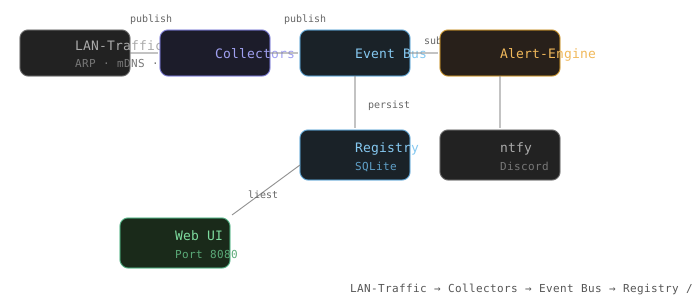
Collector-Pipeline
Alle Collectors arbeiten parallel und unabhängig. Jeder publiziert DeviceEvent-Objekte auf den Bus. Der OUI-Lookup läuft synchron beim ersten Erscheinen einer unbekannten MAC. nmap wird nur auf explizite Anfrage ausgeführt.
Installation
Docker (empfohlen)
docker run -d \
  --name silentmap \
  --network host \
  --cap-add NET_RAW \
  -v silentmap-data:/data \
  -e TZ=Europe/Zurich \
  fischermanch/silentmap:latest
Web-UI: http://localhost:8080
--network host ist erforderlich damit SilentMap ARP-, mDNS- und DHCP-Traffic im LAN-Segment empfangen kann. --cap-add NET_RAW für Packet-Capture ohne root.
Docker Compose
services:
  silentmap:
    image: fischermanch/silentmap:latest
    container_name: silentmap
    restart: unless-stopped
    network_mode: host
    cap_add:
      - NET_RAW
    volumes:
      - silentmap-data:/data
    environment:
      - TZ=Europe/Zurich

volumes:
  silentmap-data:
Update
docker compose pull && docker compose up -d
Native Linux
Benötigt Go 1.22+.
git clone https://github.com/FischermanCH/silentmap
cd silentmap
go build -o silentmap ./cmd/silentmap
sudo setcap cap_net_raw+eip ./silentmap
./silentmap --data ./data
Download und Installation

- Built by Fischerman ·
- in collaboration with Claude (Anthropic) ·
- MIT License ·
- GitHub · Docker Hub
▸ Project · Passive Network Monitor
SilentMap
Passive network monitor — sees everything, disturbs nothing.
✓ MIT License ✓ Self-hosted · Open Source ✓ Beta · Single-User ✓ Go · SQLite · D3.js
What SilentMap is
SilentMap listens passively on your LAN and builds a live picture of every device on the network — without sending a single probe packet. It discovers devices from the traffic they themselves generate: ARP announcements, mDNS broadcasts, DHCP leases. When something new appears, or a priority device drops off the network, it alerts you immediately.
No active scanning. No agent to install. No noise on the wire.
It is a single self-contained binary with an embedded SQLite database, an embedded web UI, and no external runtime dependencies. Docker or native Linux — your choice.
Built as a lean, understandable alternative to tools like NetAlertX: fewer moving parts, a cleaner UI, a codebase that a single person can read and extend. Built in collaboration with Claude (Anthropic) as a real-world example of Human + AI software development.
What SilentMap does
- 100% passive
- No ping, no scan, no network noise by default. SilentMap only listens.
- Multi-collector
- ARP · mDNS · DHCP · optional ICMP ping · on-demand nmap
- Vendor lookup
- OUI database embedded — every MAC address is automatically resolved to its manufacturer.
- Inventory
- MAC, IP, hostname, vendor, label, category, groups, topology map.
- Priority devices
- Per-device flag — ICMP monitoring even across subnet boundaries.
- Alert engine
- New device · Priority offline · Device back online — with configurable cooldown.
- Notifications
- Push via ntfy.sh or self-hosted ntfy · Discord webhook · severity-based routing.
- Topology map
- Interactive D3.js network graph with parent/child and group view.
- Export / Import
- Full JSON backup including groups, labels, connections.
- Themes & language
- Dark, light and custom themes · German and English — switchable at runtime.
- Single binary
- No CGO, no external dependencies, embedded SQLite. Runs anywhere Go runs.
REST API
GET /health— Health checkGET /api/stats— Online/offline counts, listening stateGET /api/version— Version string and build timeGET /api/topology— Full network topology as JSONGET /api/alerts— Recent alerts as JSONGET /api/export— Complete device export as JSONPOST /api/import— Import devices from a JSON export
How SilentMap is built
SilentMap consists of three clearly separated layers. All state lives in a single SQLite volume — no setup, no data loss on updates.
Layer architecture
Web UI / HTTP layer — chi · Go templates · D3.js · REST API · /health
Event bus / Registry layer — in-process event bus · SQLite registry · alert engine · cooldown
Collector layer — ARP · mDNS · DHCP · ICMP ping · nmap · OUI lookup
Persistent volume — silentmap.db · silentmap.yaml · OUI database
Data flow
Collectors publish events onto an in-process bus. The registry persists device state. The alert engine subscribes to the bus and routes fired alerts to configured channels. The web UI reads directly from the registry.
Collector pipeline
All collectors run in parallel and independently. Each publishes DeviceEvent objects onto the bus. OUI lookup runs synchronously on first appearance of an unknown MAC. nmap is only executed on explicit request.
Installation
Docker (recommended)
docker run -d \
  --name silentmap \
  --network host \
  --cap-add NET_RAW \
  -v silentmap-data:/data \
  -e TZ=Europe/Zurich \
  fischermanch/silentmap:latest
Web UI: http://localhost:8080
--network host is required so SilentMap can see ARP, mDNS and DHCP traffic on your LAN segment. --cap-add NET_RAW grants packet-capture capability without running as root.
Docker Compose
services:
  silentmap:
    image: fischermanch/silentmap:latest
    container_name: silentmap
    restart: unless-stopped
    network_mode: host
    cap_add:
      - NET_RAW
    volumes:
      - silentmap-data:/data
    environment:
      - TZ=Europe/Zurich

volumes:
  silentmap-data:
Update
docker compose pull && docker compose up -d
Native Linux
Requires Go 1.22+.
git clone https://github.com/FischermanCH/silentmap
cd silentmap
go build -o silentmap ./cmd/silentmap
sudo setcap cap_net_raw+eip ./silentmap
./silentmap --data ./data
Download and Installation
- Built by Fischerman ·
- in collaboration with Claude (Anthropic) ·
- MIT License ·
- GitHub · Docker Hub






 Loading ...

 Und...wetsch das Cookie ha öder nöd ?
 And...do you want the cookie or not ?
Comments are closed.